
将输入的文字转换为图片
使用地址:https://mp.liuliu.fit/textToPng/
使用截图: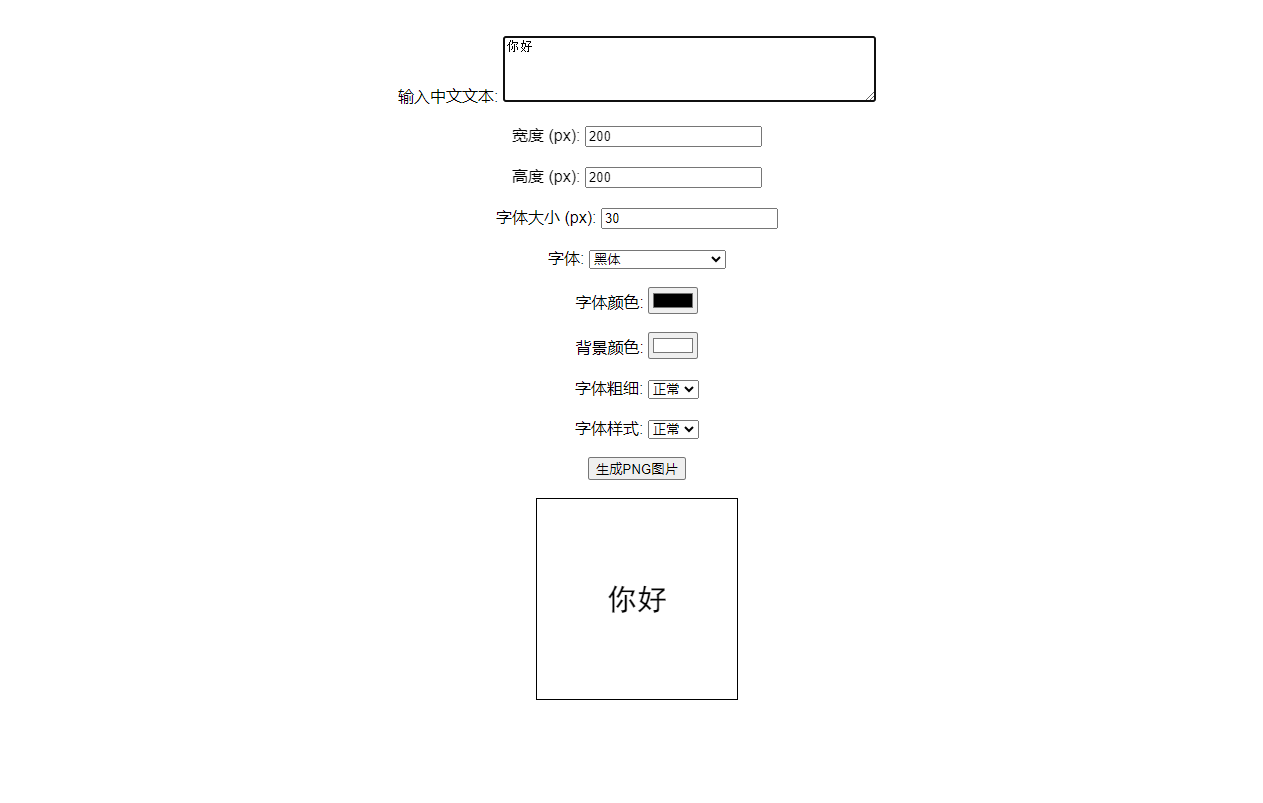
实现代码:
<!DOCTYPE html>
<html lang="zh-CN">
<head>
    <meta charset="UTF-8">
    <meta name="viewport" content="width=device-width, initial-scale=1.0">
    <title>中文转PNG图片生成器</title>
    <style>
        body {
            font-family: Arial, sans-serif;
            text-align: center;
            margin: 50px;
        }
        #canvas {
            border: 1px solid #000;
        }
    </style>
</head>
<body>
<form id="textForm">
    <label for="text">输入中文文本:</label>
    <textarea id="text" name="text" rows="4" cols="50" required></textarea>
    <br><br>
    <label for="width">宽度 (px):</label>
    <input type="number" id="width" name="width" value="200" required>
    <br><br>
    <label for="height">高度 (px):</label>
    <input type="number" id="height" name="height" value="200" required>
    <br><br>
    <label for="fontSize">字体大小 (px):</label>
    <input type="number" id="fontSize" name="fontSize" value="30" required>
    <br><br>
    <label for="fontFamily">字体:</label>
    <select id="fontFamily" name="fontFamily">
        <option value="SimHei">黑体</option>
        <option value="MingLiU">细明体</option>
        <option value="DFKai-SB">标楷体</option>
        <option value="SimSun">宋体</option>
        <option value="NSimSun">新宋体</option>
        <option value="FangSong">仿宋</option>
        <option value="KaiTi">楷体</option>
        <option value="FangSong_GB2312">仿宋_GB2312</option>
        <option value="KaiTi_GB2312">楷体_GB2312</option>
        <option value="Microsoft YaHei">微软雅黑</option>
        <option value="Microsoft JhengHei">微软正黑体</option>
        <option value="Microsoft YaHei">微软雅黑体</option>
        <option value="Arial">Arial</option>
        <option value="Verdana">Verdana</option>
        <option value="Helvetica">Helvetica</option>
        <option value="Times New Roman">Times New Roman</option>
        <option value="Courier New">Courier New</option>
        <option value="Georgia">Georgia</option>
    </select>
    <br><br>
    <label for="color">字体颜色:</label>
    <input type="color" id="color" name="color" value="#000000" required>
    <br><br>
    <label for="bgColor">背景颜色:</label>
    <input type="color" id="bgColor" name="bgColor" value="#FFFFFF" required>
    <br><br>
    <label for="fontWeight">字体粗细:</label>
    <select id="fontWeight" name="fontWeight">
        <option value="normal">正常</option>
        <option value="bold">粗体</option>
        <option value="lighter">更细</option>
    </select>
    <br><br>
    <label for="fontStyle">字体样式:</label>
    <select id="fontStyle" name="fontStyle">
        <option value="normal">正常</option>
        <option value="italic">斜体</option>
    </select>
    <br><br>
    <button type="submit">生成PNG图片</button>
</form>
<br>
<canvas id="canvas"></canvas>
<br>
<a id="downloadLink" style="display:none;" download="text_image.png">下载PNG图片</a>

<script>
    document.getElementById('textForm').addEventListener('input', updateCanvas);
    document.getElementById('textForm').addEventListener('submit', function(e) {
        e.preventDefault();
        updateCanvas();
        const canvas = document.getElementById('canvas');
        const dataURL = canvas.toDataURL('image/png');
        const downloadLink = document.getElementById('downloadLink');
        downloadLink.href = dataURL;
        downloadLink.style.display = 'block';
    });

    function updateCanvas() {
        const text = document.getElementById('text').value;
        const width = parseInt(document.getElementById('width').value);
        const height = parseInt(document.getElementById('height').value);
        const fontSize = parseInt(document.getElementById('fontSize').value);
        const fontFamily = document.getElementById('fontFamily').value;
        const color = document.getElementById('color').value;
        const bgColor = document.getElementById('bgColor').value;
        const fontWeight = document.getElementById('fontWeight').value;
        const fontStyle = document.getElementById('fontStyle').value;

        const canvas = document.getElementById('canvas');
        canvas.width = width;
        canvas.height = height;

        const ctx = canvas.getContext('2d');
        ctx.clearRect(0, 0, canvas.width, canvas.height);

        // 设置背景颜色
        ctx.fillStyle = bgColor;
        ctx.fillRect(0, 0, canvas.width, canvas.height);

        ctx.fillStyle = color;
        ctx.font = `${fontStyle} ${fontWeight} ${fontSize}px ${fontFamily}`;
        ctx.textAlign = 'center';
        ctx.textBaseline = 'middle';

        const lines = getLines(ctx, text, canvas.width);
        const lineHeight = fontSize * 1.2;
        const textHeight = lines.length * lineHeight;
        let y = (canvas.height - textHeight) / 2 + lineHeight / 2;

        lines.forEach(line => {
            ctx.fillText(line, canvas.width / 2, y);
            y += lineHeight;
        });
    }

    function getLines(ctx, text, maxWidth) {
        const words = text.split('');
        const lines = [];
        let currentLine = words[0];

        for (let i = 1; i < words.length; i++) {
            const word = words[i];
            const width = ctx.measureText(currentLine + word).width;
            if (width < maxWidth) {
                currentLine += word;
            } else {
                lines.push(currentLine);
                currentLine = word;
            }
        }
        lines.push(currentLine);
        return lines;
    }

    // 初始化预览
    updateCanvas();
</script>
</body>
</html>
 赣公网安备36082502000158号